String Manipulation (Multi-Column) - Conditional Formatting
Hi everyone!
Complete noob here, I hope this crowd is nicer than stackoverflow’s lol,
In short I’m trying to learn Knime bit by bit ,
I started by using it to reformat a simple excel table, I was using it mainly for one task:
Ensuring that all sentences of a specific column had a full stop at the end.
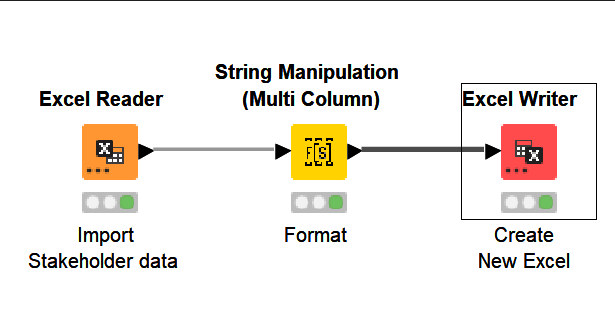
I used the following nodes and then tried this expression:
=REPLACE(LOWER(C3);1;1;UPPER(LEFT(C3;1)))
This worked out pretty well but I had two issues:
*
Some of the cells had already a full stop at the end of their strings, so now they were doubled.
*
Some of the cells were empty, and now they were populated by a dot.
I then attempted the following expression:
join($$CURRENTCOLUMN$$,
if(and(not(isMissing($$CURRENTCOLUMN$$)),
not(endsWith($$CURRENTCOLUMN$$, “.”)))
, “.”
, “”))
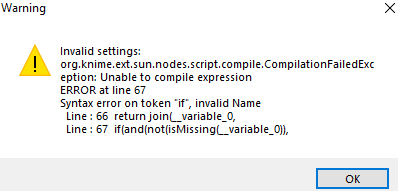
And got this error message:
Im now blocked and a bit lost, any kind soul would like to help me out?