Seeking Guidance on Expanding KNIME AI Chatbot Demo to Include Multiple Data Columns in FAISS Vec...
If the authors of this workflow @Vittorio Haardt and @Roberto Cadili are in this forum it would be great if i can ask some questions regarding this demo workflow you have created: How to build a custom AI-powered job finder chatbot | KNIME
I downloaded 2 parts of the workflow (incl. the job posting data):
(1) How to build your FAISS vector store db
(2) How to build you ChatApp that give you answers form you db
I also download the job posting data hosted on kaggle that comes with this demo:
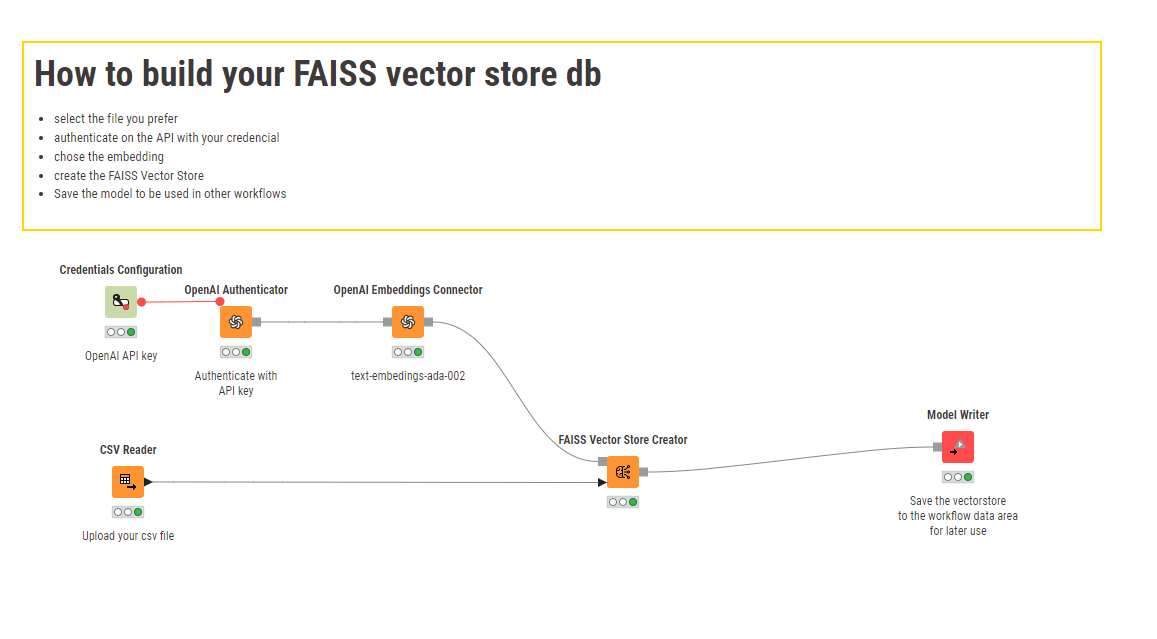
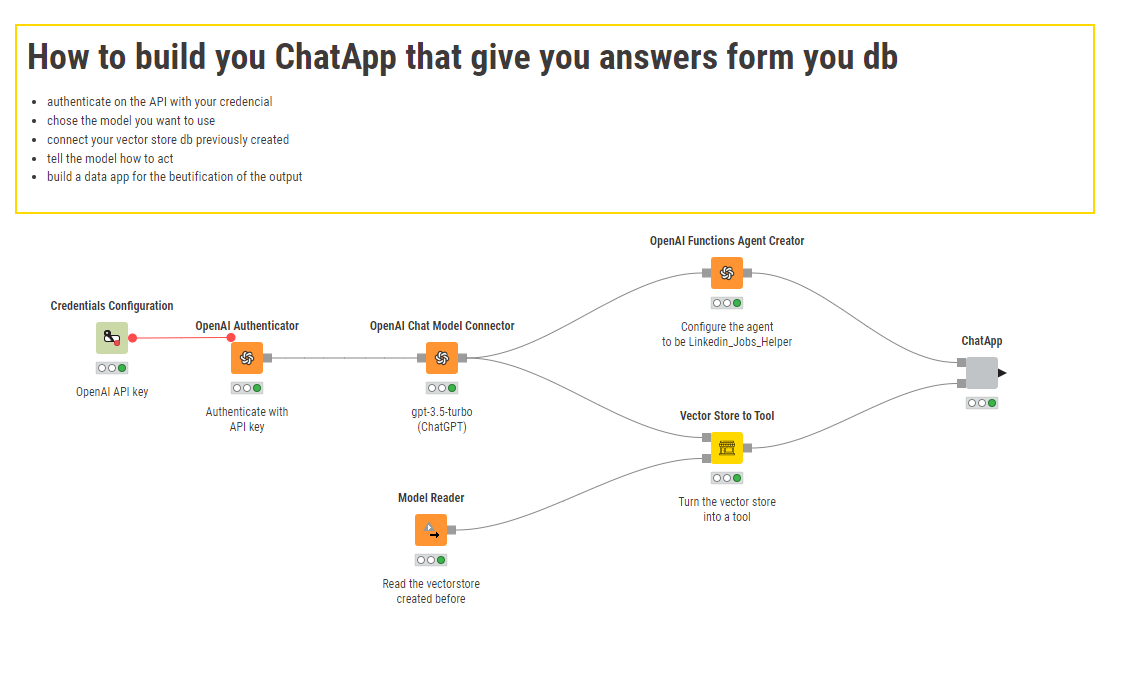
In the orginal article demo, you have only added “description” to the “FAISS Vector Store Creator” node.
To try to addon to the functionality of this chatbot, what i did was that i added a few more columns to the “FAISS Vector Store Creator” node. I selected, “Company”, “Title”, “Description” and “Location”. Then i re-run to get a new model file.
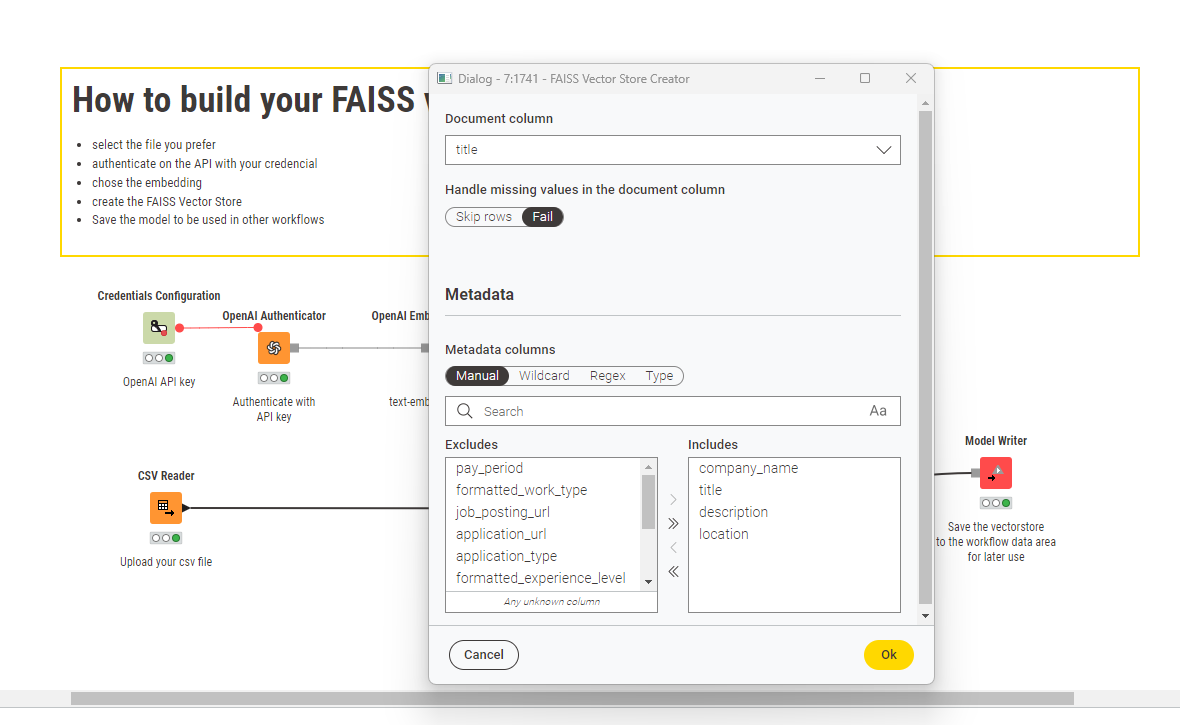
Once the new vector file out has been completed. I import the new vector file via the model reader and started querying the chatbot again.
The result is quite weird you may refer to my screen recording of the chat result: KNIME Analytics Platform - 29 August 2024 | Loom
The only change i did to the workflow 2 demo to get this outcome was that i change the “Open AI Chat Model Section” to “GPT-4” and the Max response length (token) to 2000.
The reason that i am doing this is i would like to try this AI Chatbot Q&A on a large set of my personal data. And there will be more than 1 column that i would need to include into the FAISS Vector Store Creator.
From my demo as you can see in the screen recording, it looks like that AI Chatbot is not refering or referecing any data in the ventor store.
Anyone who has susscfully created an AI chatbot that can read data from multiple columns in a csv file for Q&A “fairly accurately”, please let me know the tips and tricks you have used and anything to look out for.