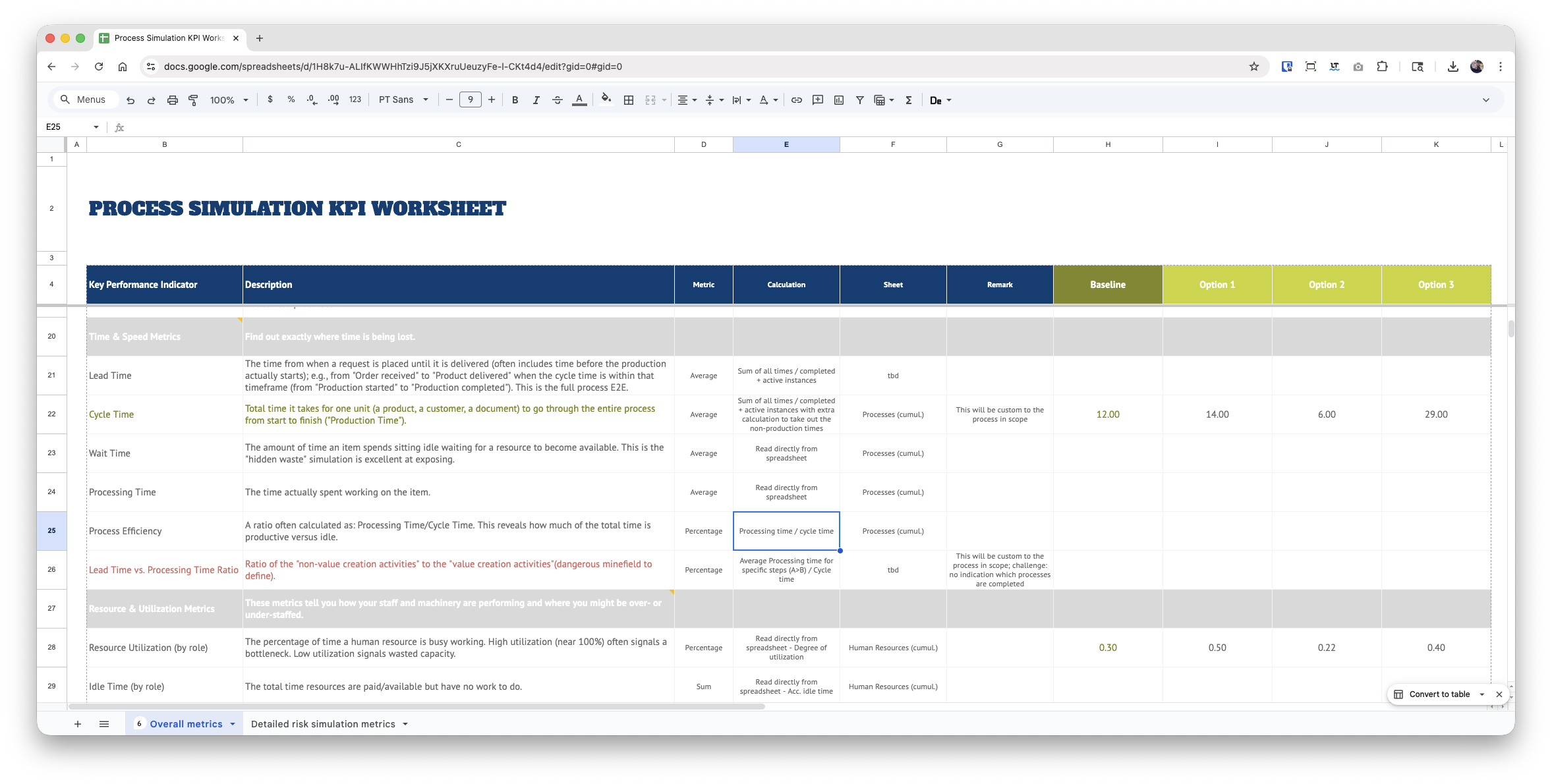
Read time from Excel sheet as it is shown in Excel
Hey KNIME friends,
I hope everyone had some happy holidays and a couple of days off before the new year starts :slight_smile:
I am working on a process simulation workflow that shall give me the desired metrics conveniently in a new worksheet so that I can compare different options (I am using ARIS Process Simulation if someone is interested). The simulation engine allows you to export all statistics in an Excel file (example attached), and within that file the times are in an “hour : minutes : second” format - no matter how many hours it will take.
Except when there are just minutes and seconds or the value is zero, then Excel shows only, well, minutes and seconds.
When I bring the sheet into KNIME, I have a few issues:
It tries to convert the values into a time format from year down to second.
However, it does that not consistenlty (see example below in blue).
It also brings in the timestamps in different formats - either as time or string (the green arrows).
How can I stop this? I like to get the “numbers” as they are in Excel, so that I can separate them into H/M/S and then calculate them to the lowest denominator (most likely cutting the seconds).
Is that possible or am I stuck with an inconsistent time behavior?
Any help/pointer is very much appreciated,
Roland
PS: Of course I googled and tried to find stuff in the forums first :wink:
Sim statistics with risks copy 2.xlsx
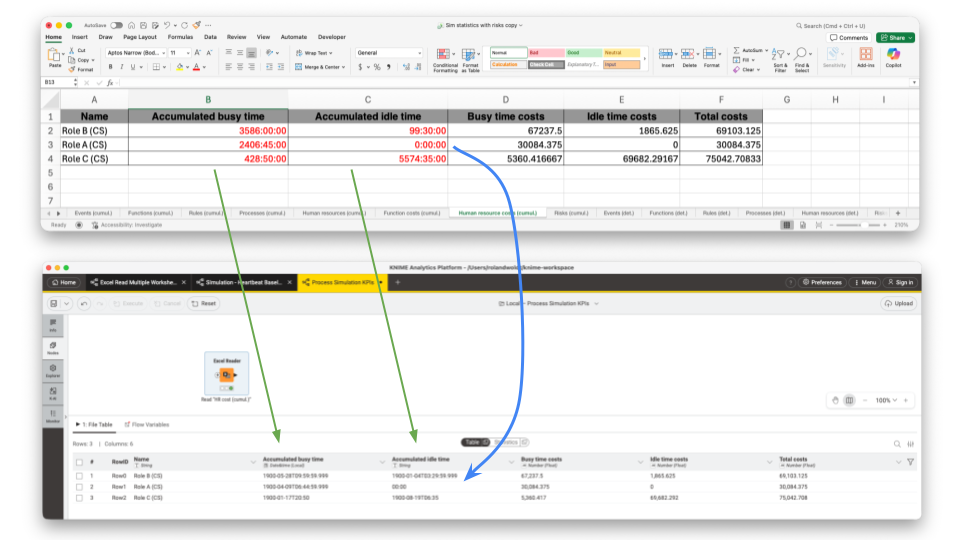
PPS: And this is what I want to fill with the calculated values, for example. Unfortunately, the simulation tool does not give you “human-readable” metrics OOB :frowning: