Question about “Save As” window when creating Interactive View using Python View
Hello, KNIME Support Team.
When using the Python View node, a strange popup window keeps appearing.
Currently, I created a chart with Python View node and wrapped it with Component to create an Interactive View.
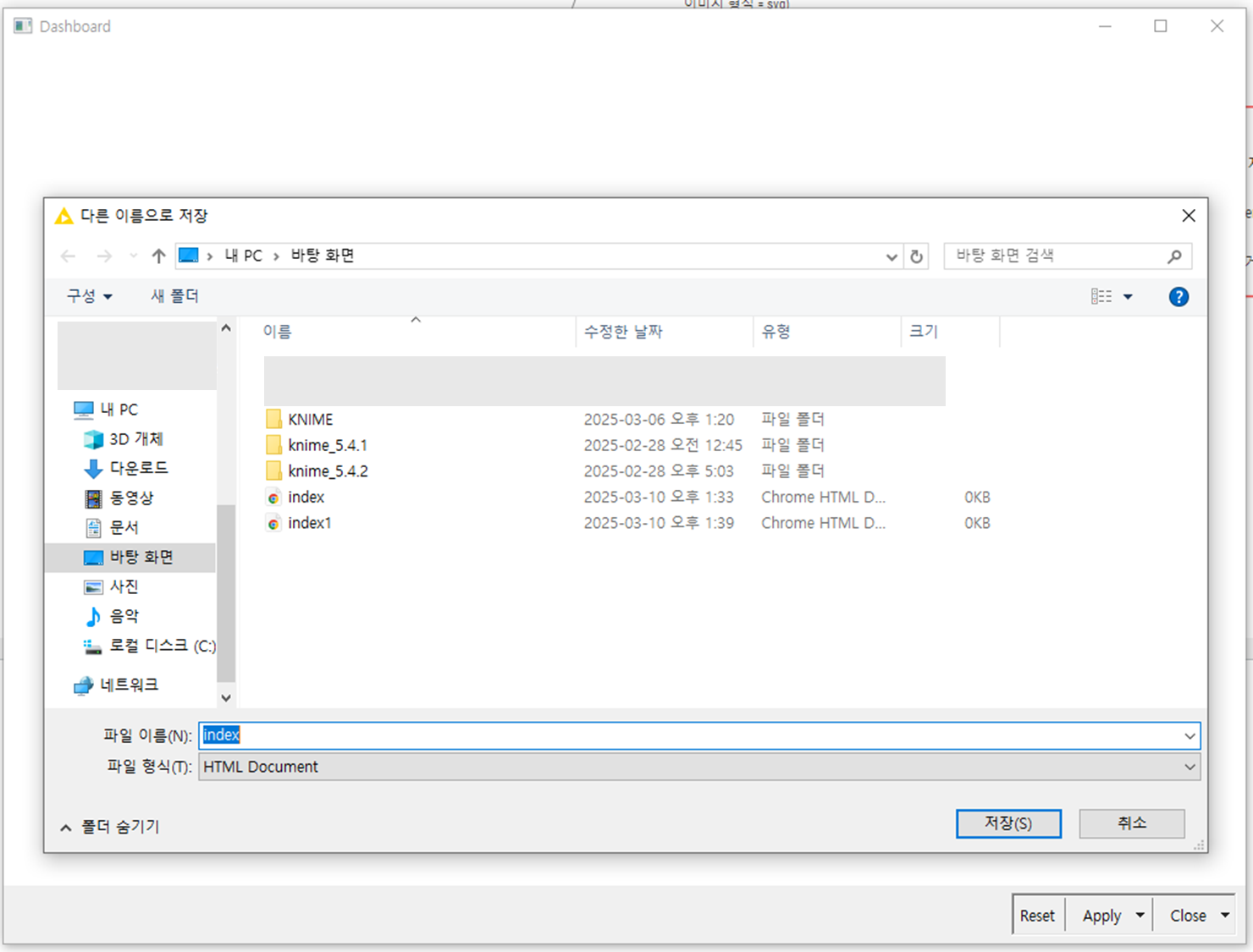
When I press the magnifying glass button on the Component, I keep getting a popup asking me to “Save As”. When I save it, the Interactive View doesn’t appear, just a white screen, and the saved file (html) doesn’t appear either. This is not a problem when there is only one Python View, not wrapped as a Component.
I would like to know how to get the Interactive View to pop up immediately, without the “Save As” popup.
The Python View code I used is below, and the data works with any number of numeric columns.
==============================================================
import knime.scripting.io as knio
import matplotlib.pyplot as plt
import seaborn as sns
import pandas as pd
df = knio.inputtables[0].topandas()
numericdf = df.selectdtypes(include=[‘number’])
correlationmatrix = numericdf.corr()
fig = plt.figure(figsize=(12, 8))
sns.heatmap(correlation_matrix, annot=True, cmap=‘coolwarm’, linewidths=0.5, fmt=‘.2f’, cbar=True)
plt.title(‘Correlation Heatmap of Data’, fontsize=16)
knio.output_view = knio.view(fig)
==============================================================
Any help would be greatly appreciated.
I tried drawing it utilizing plt.gcf(), but I get the same “save as” window.
When I press the magnifying glass on the Component, I get the window below. Notes.