Problem with Python Script component in KNIME 5.9.0 on MacOS Tahoe 26.2 (M4 Max)
Hi,
I have a problem when attempting to run a Python Script node (that was working well one year ago with another version of KNIME, but I don’t remember which one).
The concrete error is this:
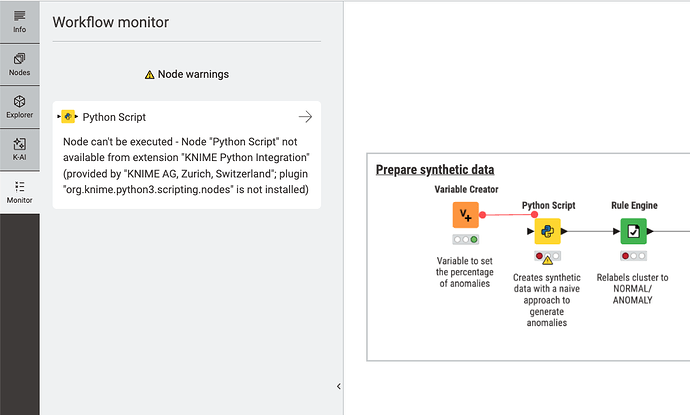
Node can’t be executed - Node “Python Script” not available from extension “KNIME Python Integration” (provided by “KNIME AG, Zurich, Switzerland”; plugin “org.knime.python3.scripting.nodes” is not installed)
It appears at the node itself in the GUI, as a Node warning, but it prevents the workflow to be executed:
I have checked:
That the Python Integration extension is correctly installed.
That the configuration is ok (I have tried with the Bundled option and with the conda based option and fails equally with both).
I have found some similar problem time ago that was fixed:
Version 5 Python Trouble on Mac
There is a log entry that may be related to it and mentions some problem with an iframe (I guess this is related to some bundled browser inside KNIME):
2026-02-10 14:06:31,951 : WARN : main : : KnimeBrowserView : : : An iframe which has both allow-scripts and allow-same-origin for its sandbox attribute can escape its sandboxing. (source: https://org.knime.core.ui.dialog/uiext-dialog/org.knime.python3.scripting.nodes2.script.PythonScriptNodeFactory/index.html; line: 0) …
Any help would be greatly appreciated.
Best regards,
Miguel-Angel