Issues with Default Path in Local File Browser and File Upload Widget Handling Large Files in AP
Hi everyone,
I’m working on a workflow that needs to run in Analytics Platform (AP), and I’m facing two related issues with file input components.
Local File Browser Configuration default path issue
I initially used a Local File Browser Configuration node inside a component. I set a default path (either via flow variable or directly in the node configuration), and I need this path to always be used when the user doesn’t provide a new file.
However, the problem is that when I open the component and select a different file, the node remembers that new file as the new default. The next time I open the workflow, if no file is provided, it uses the previously selected path—which may point to a file I no longer need.
I’ve tried both setting the default path via a flow variable and directly in the configuration dialog, but the behavior is the same, it doesn’t restore the Default path.
2. File Upload Widget fails with large files in AP
As an alternative, I tried using a File Upload Widget in AP. It works fine with small files, but when I try to upload large files (~400 MB), the widget fails.
Specifically, the output port remains blocked, and I get the following error:
“No file or URL provided”
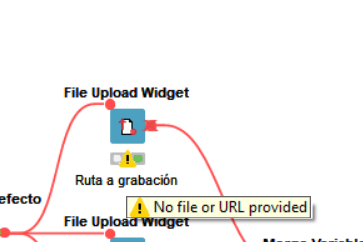
The file I’m uploading has a supported format, and I’ve tried toggling the “Store uploaded file in workflow directory” option on and off, but I keep getting the same error.
Any help or ideas on how to solve either of these problems would be greatly appreciated!
Thanks in advance!
Laura