How to split multiline cells
Dear KNIMErs,
I have a table with some (fake) sales data. Within a few cells, I have some additional text info, e. g. splitting a sales region into 2 subregions (see screenshot)
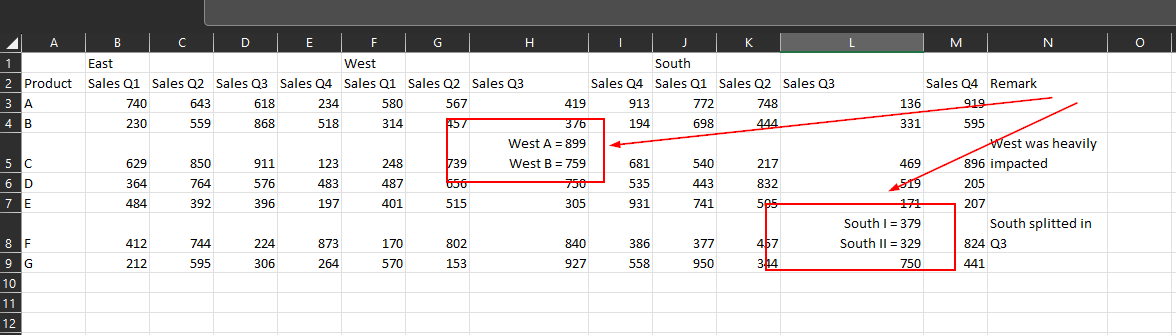
As I later on want to push these numbers to PowerBI I need to make sure, they are definitely handled as numbers. So I somehow need to split the cells without loosing the information.
For example, I want to have in cell H5 (Sales Q3 for West) the number 899 and the string “West A” maybe added to the Remark column N after the existing comment.
I have provided an example workflow here (where I already have cleaned up the column headers):
I feel like I should know how to do this :smiley: but somehow can’t make progress (maybe to many xmas cookies :wink: )
Thank you in advance :heart: