How to manipulate and organize PDF files in KNIME
I have a PDF file that I upload to KNIME using this script
import pandas as pd
from PyPDF2 import PDFReader
import PyPDF2
Access file path from input data
pdf_file = “C:/Users/aldem/Desktop/New folder/OC08320.pdf”
with open(pdf_file, ‘rb’) as f:
pdf_reader = PdfReader(f)
text = “”
for page in pdf_reader.pages:
text += page.extract_text()
output_table = pd.DataFrame({“Text”: [text]})
But the PDF was left this way
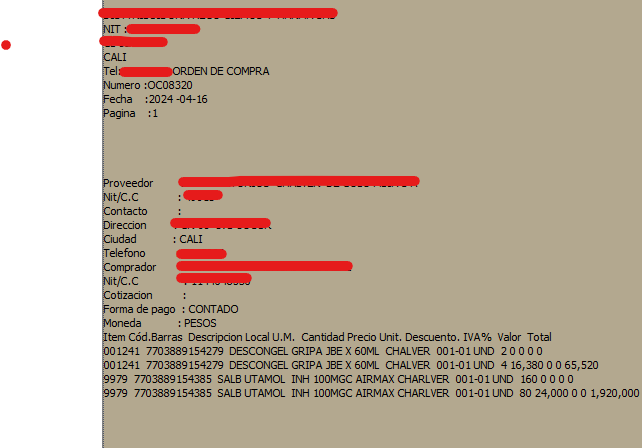
I would like it to stay this way

As is the original PDF
is that possible?