How to Backup Your KNIME Workflows v2? A Christmas Present for the Community 🎁
Ho ho ho Knimers,

finally, after the Knime Community Hacking days have concluded, I am proud to share with you version 2, with a wealth of improvements and new features, of my backup workflow, previously published in this post:
Hi Knime Community, one thing has bugged me for quite some time … not having a reliable backup solution for my workspace. Frequently, when travelling, I also have to sync the Knime workspace between my laptop and workstation. I wanted to share a solution to the entire community and would love to hear your feedback. As follows an excerpt of my blog post providing more details. One of the great things about KNIME is its flexibility—it’s a tool that allows users to extend its functionality, whi…
What’s new?
In short, abandoning build in Windows zip in favor of 7Zip, improving interoperability and providing a feature rich, much faster and more reliable, backup method!
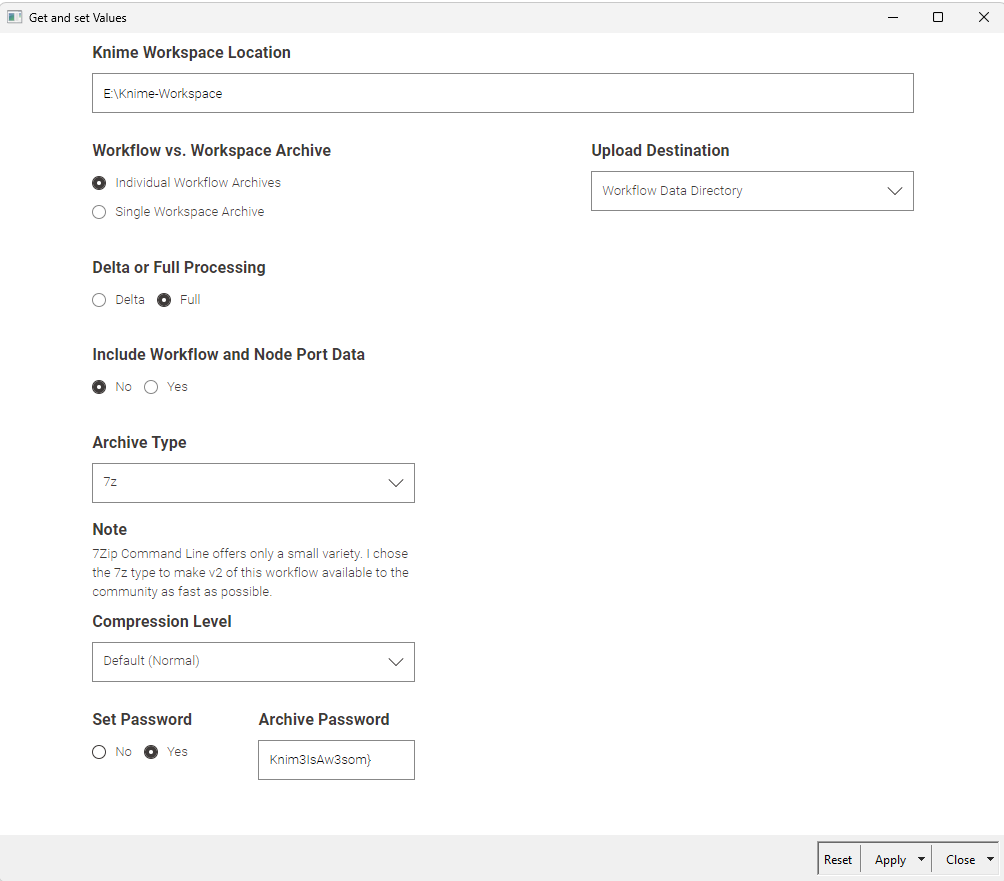
In detail
Biggest change: Restore Feature (Restore from AWS S3 WIP)
Chose between backup locations Workflow Data Directory (default), Local (can be a network or thumb drive) or AWS S3
True delta Processing even with enabled compression
Ability to set a password
CRC Checks by default to ensure data integrity
Compression level can be selected to balance size and speed
Parallel processing / compression if individual / per workflow archives are chosen
Log details
Various bug fixes
And maybe more which I forgot about
About the restore
Interactive View
Select your backup source root
Select your destination root where the data should be extracted into
Knime automatically searches for the archive file “workflow-lastmod.table”, updates the filter and displays the preview
If a password is set, the input automatically appears
Knime generates the command and you only have to execute everything
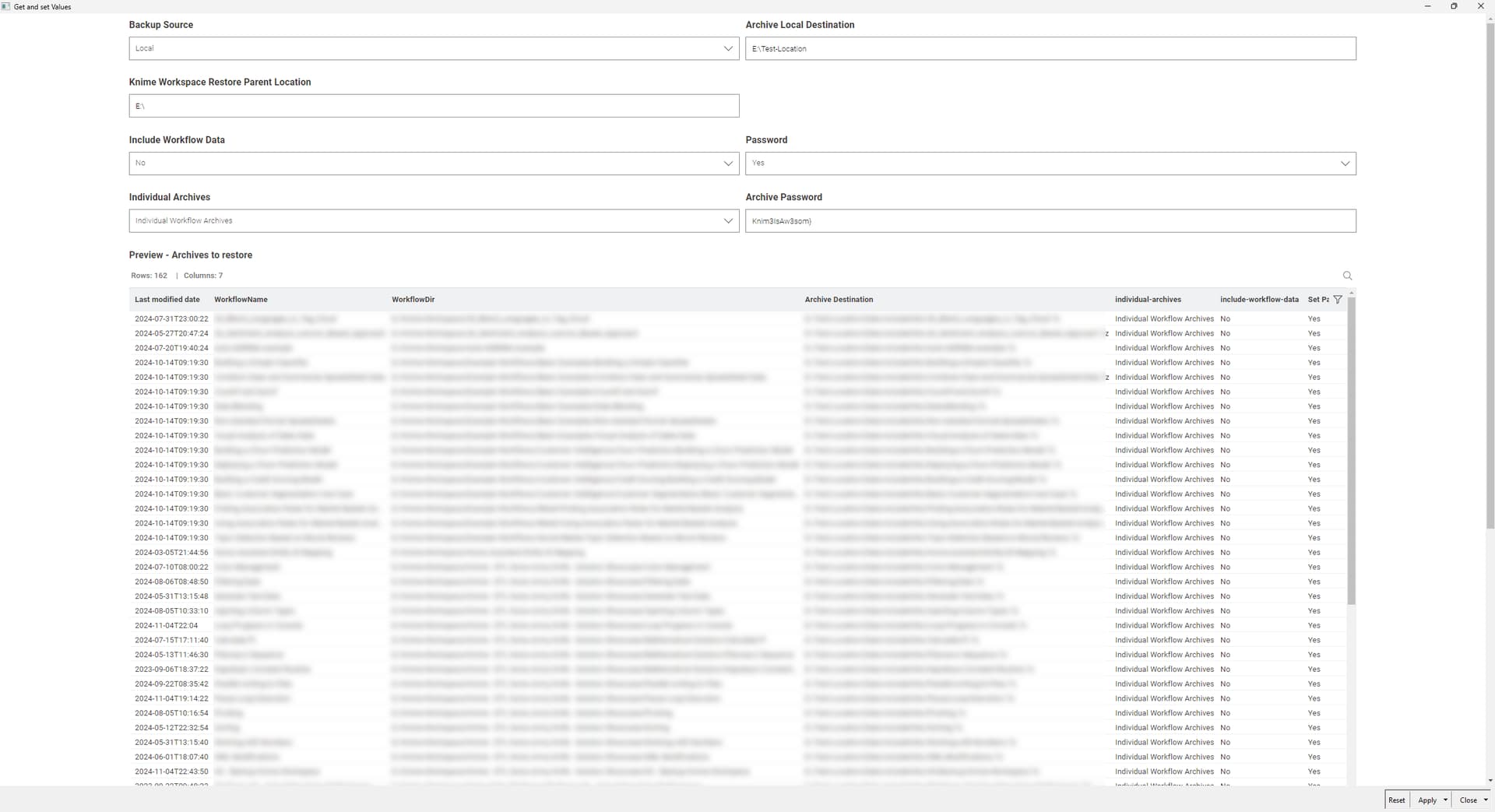
If data exists in the destination, it is overwritten BUT only the delta. Meaning, any temp data will remain. I have to integrate a process that offers to:
Keep a backup by appending a “-bak”
Wipe the destination root before extracting
As before, I’d love to hear your feedback and hope you find the backup workflow as useful as I do i.e.:
when synchronizing between multiple workstations
backing up before major Knime releases
Restore if Windows Update or a ransomware attack, virus, you name it bricks your system
Cheers
Mike