High DPI Scaling and size of configuration window issue
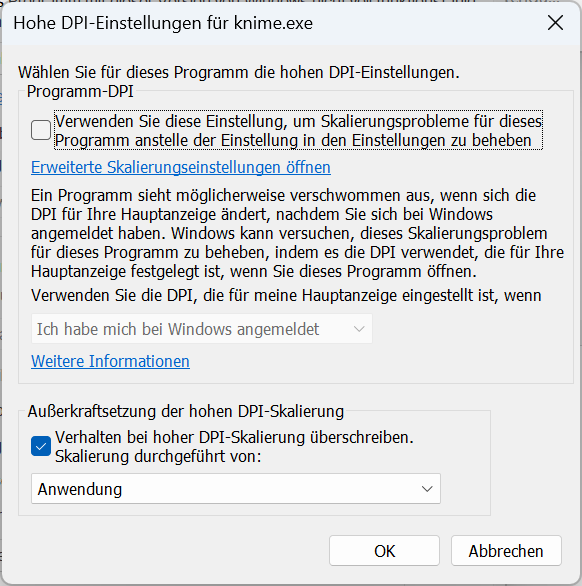
The following problem: I am using Windows 11, KNIME 5.3.1 (modern UI) and a monitor with 5120x2160 resolution. To ensure that KNIME, i.e. the workspace with the nodes, is displayed sharply, I have made high DPI scaling settings for knime.exe under Compatibility (see screenshot below).
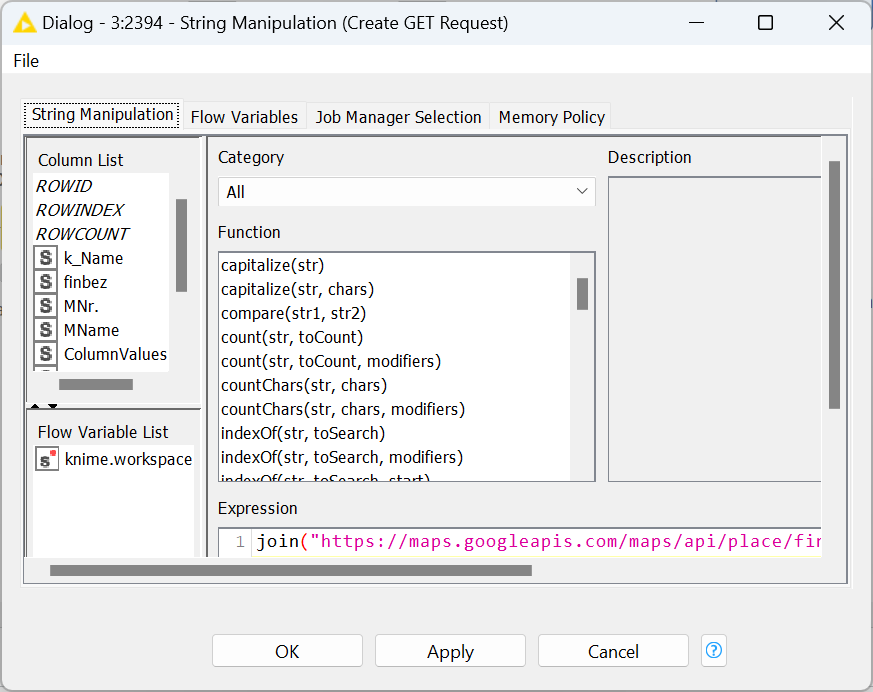
The problem is that the configuration windows of the nodes with the old design are then not displayed completely, but that you always have to scroll back and forth (see screenshot below).
Is there a solution for this?
The whole thing also reminds me of this forum entry:
Hello KNIME support team and users. I am using KNIME 4.7.1 and when I click configure on a node, the configuration window is not displayed in its entirety, but only a part of it as shown below, so I can’t understand what the options are at once. [image] Whenever I specify an option in the configuration window, I have to increase the size of the configuration window by dragging the mouse, which is not very efficient. Is there any way to make the configure window open to the proper size when …
Thank you very much!