Find row in table based on a text value and count rows in the table
Hi all,
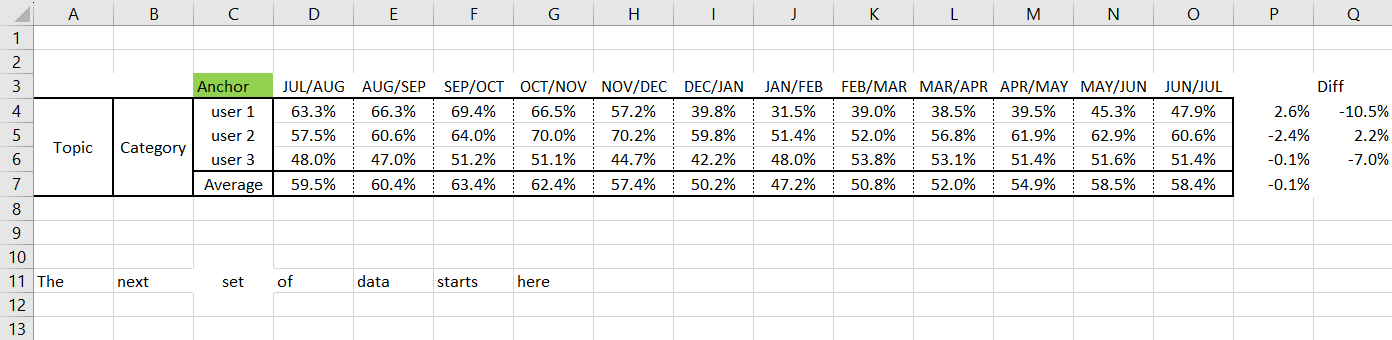
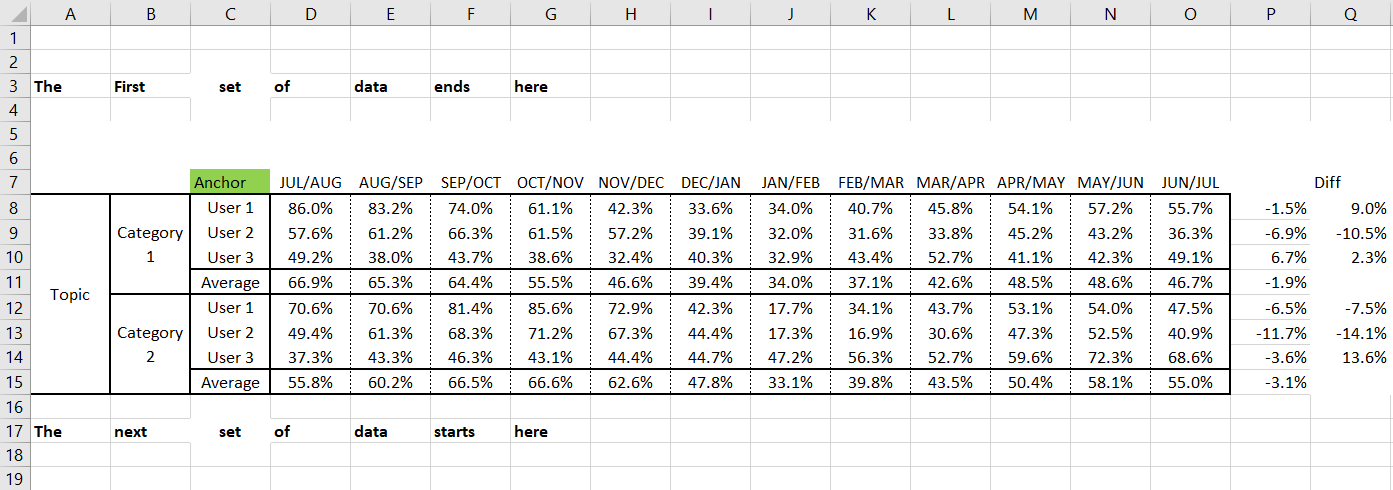
I have an excel workbook with multiple sheets. There is a table in each of the sheets that has the same starting (anchor) point but the starting row and also the number of rows in each table can be different per sheet. Example of sheets below and test data in attachment.
Is there a way to find the anchor point (the word Anchor highlighted in green) and then dynamically read the number of rows the table? I need to read the full table area (i.e. from col.A to col.Q.
I could hardcode the number of rows each table will have but i’m conscious that the number rows on each sheet each month could change.
Sheet 1: Read data from row 3 to row 7
Sheet 2: Read data from row 7 to row 15
Thanks in advance.
Pete