Expression issue in 5.5?
Also, now that I’ve downloaded 5.5 – I’m editing a workflow and I notice that the expression nodes are a bit different – there’s the pane at the right now that shows what is in the node and when you can make changes in there and when you double click, it expands, with no ‘X’ to close out the window.
Anyway, I’m trying to delete sometning but the apply window remains ‘greyed out’ and I can’t make the change. I’m having to manually copy a new node, copy/paste formulas into the new node, then delete the old –
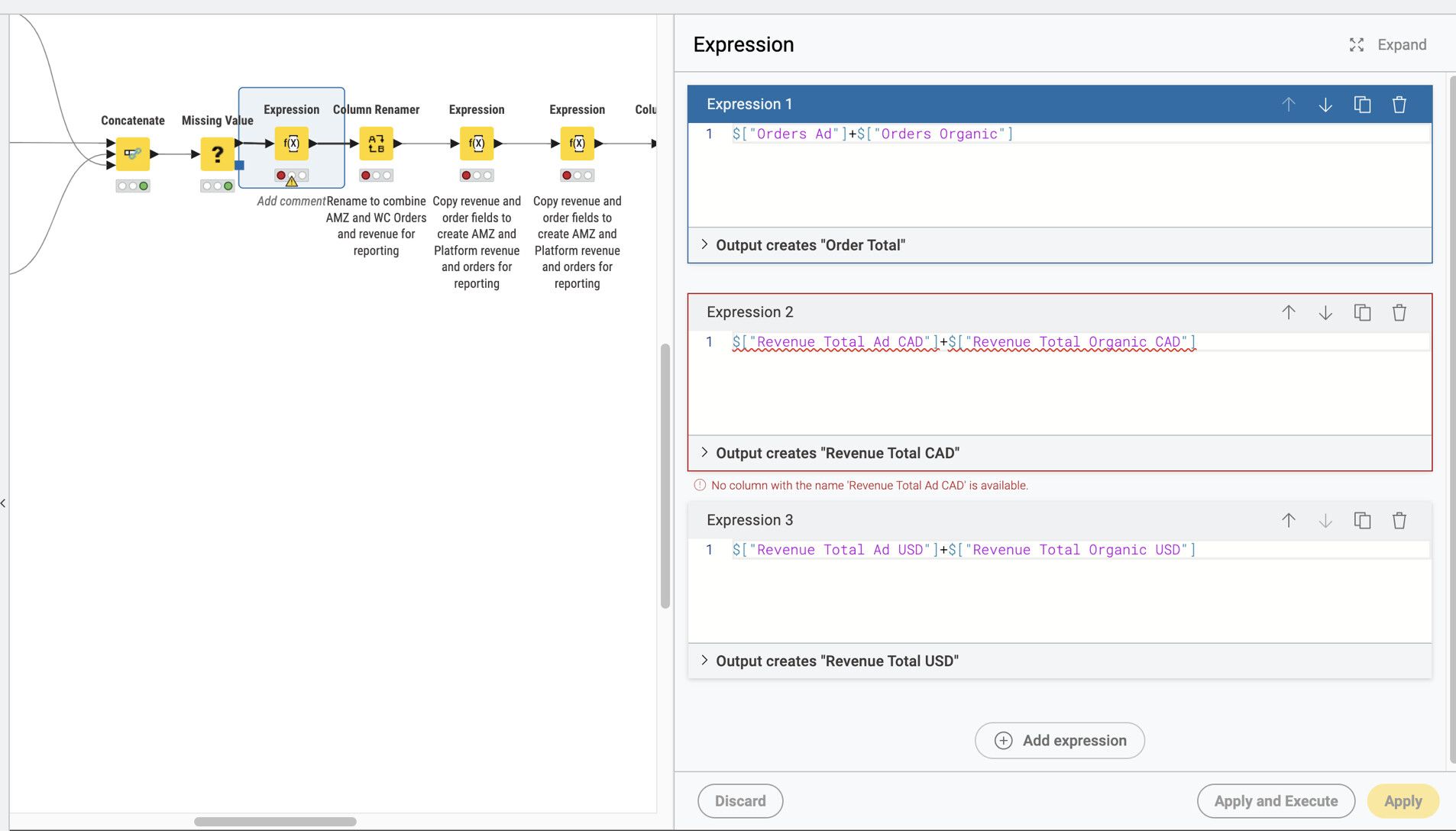
Notice Expression 2 has an error – I deleted the fields upstream, so I would like to delete expression 2
I hit the trashcan button at the upper right of expression 2:
1.
Expression 2 gets deleted
1.
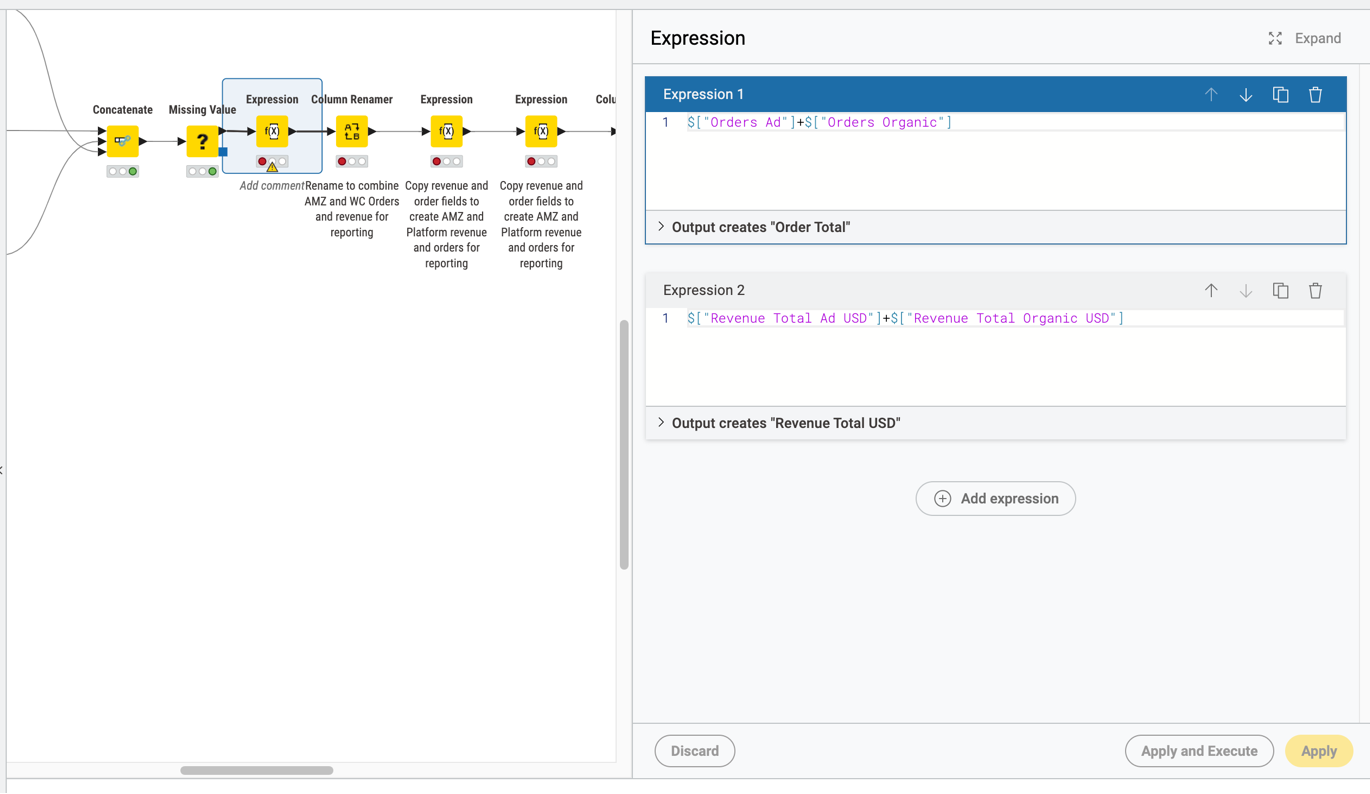
But notice the apply button is greyed out – I can’t accept that change.
When I double click on the node to expand it to try to delete from there, it expands, but the node still doesn’ allow me to hit apply:
1.
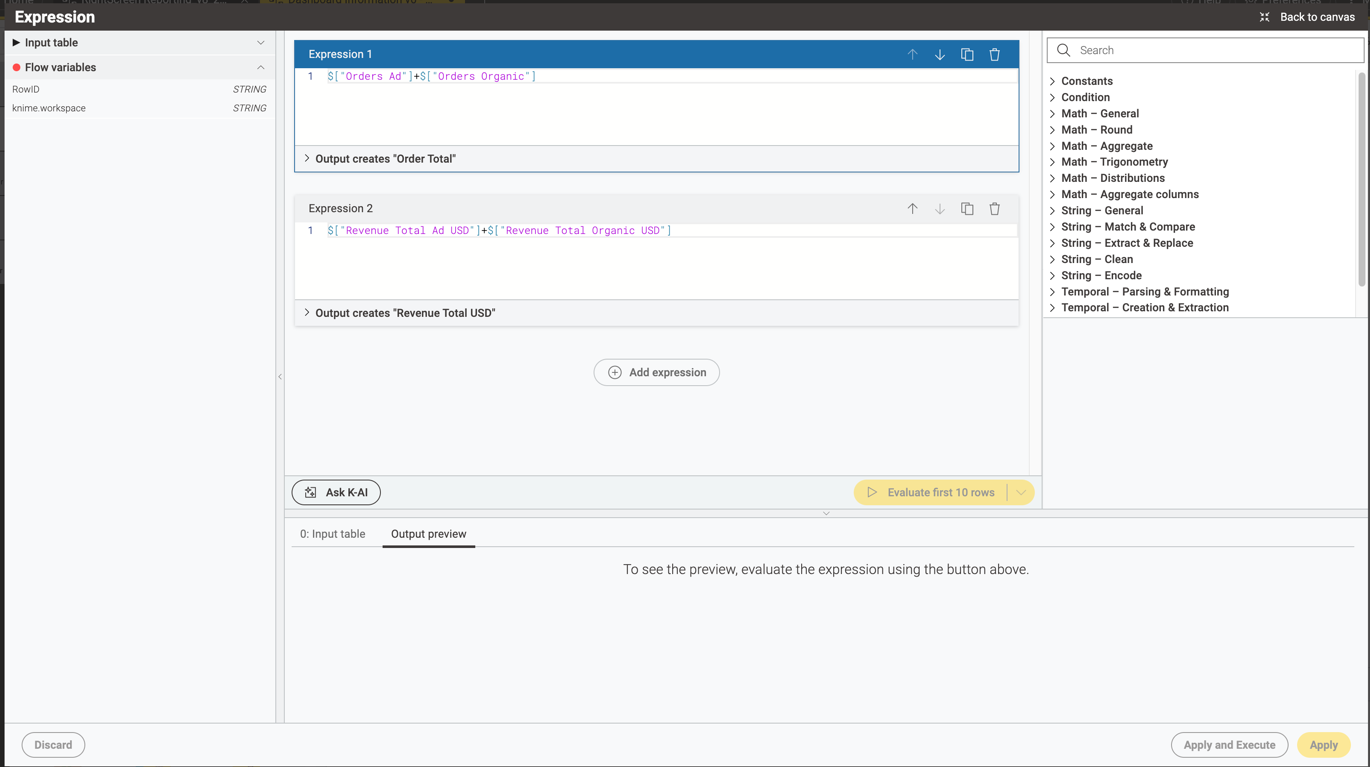
I end up adding a new node, copying the formulas into the new node, and that seems to work.
Is this a ‘me’ problem? Or a known issue?