Execute failed: An error occurred while creating the Keras network from its layer specifications....
While loading KNIME, I got below errors:
ERROR RepositoryManager Category ‘python-nodes’ from plugin ‘org.knime.python3.nodes.testing’ could not be created in parent path ‘/testing/’.
ERROR PurePythonNodeSetFactory Failed to parse Python node extension at path ‘C:\Program Files’.
After running the flow I got the following errors
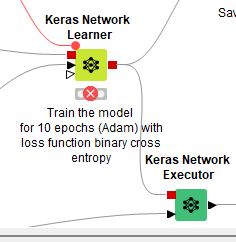
ERROR Keras Network Learner 3:280 Execute failed: An error occurred while creating the Keras network from its layer specifications. Details:
Deep learning Python back end installation tests failed.
Cause: Python library ‘keras’ or one of its dependencies is missing.
In case Python packages are missing: you can create a new Python Conda environment that contains all packages required by the KNIME deep learning integrations in the “KNIME Deep Learning” Preferences.
I have already loaded all the extensions
Preferences screens are given below
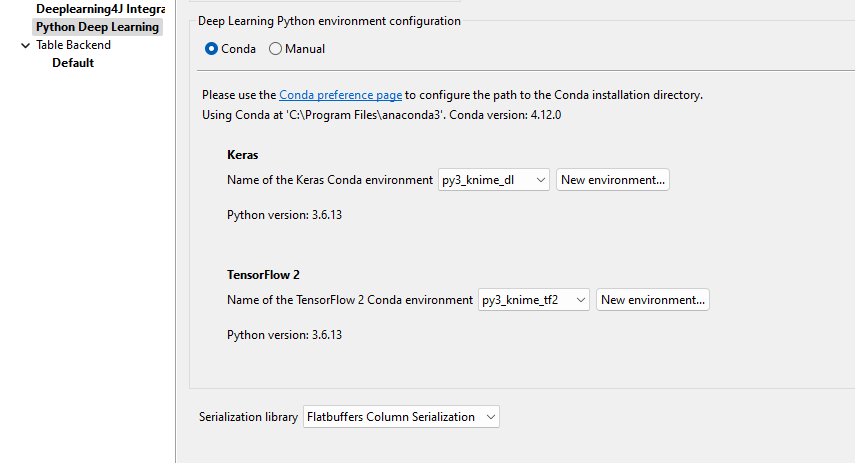
Python(Legacy)
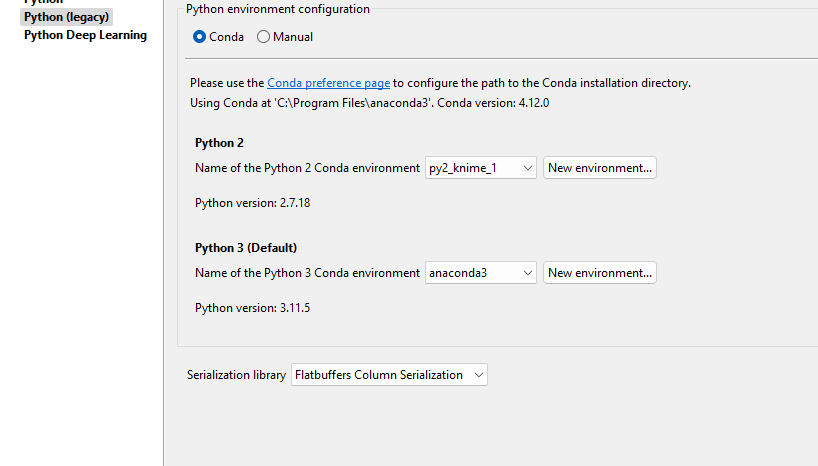
Installation:
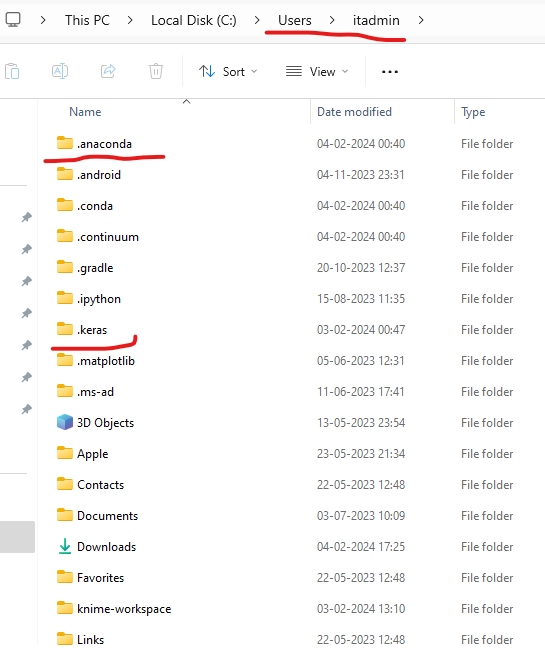
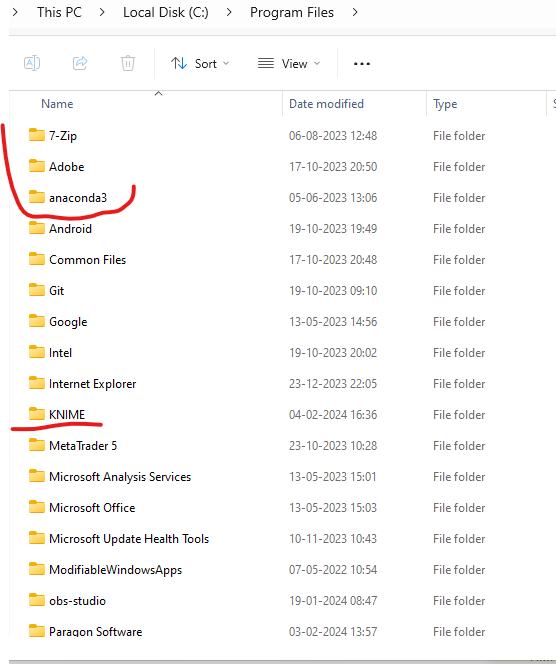
Anaconda and python installed for all the users
My yml file
(397 Bytes)
ini file data
-startup
plugins/org.eclipse.equinox.launcher_1.6.400.v20210924-0641.jar
–launcher.library
plugins/org.eclipse.equinox.launcher.win32.win32.x86641.2.500.v20220509-0833
-vm
plugins/org.knime.binary.jre.win32.x866417.0.5.20221116/jre/bin/server/jvm.dll
–launcher.defaultAction
openFile
-vmargs
-Djava.security.properties=plugins/org.knime.binary.jre.win32.x866417.0.5.20221116/security.properties
-Darrow.enableunsafememory_access=true
-Darrow.memory.debug.allocator=false
-Darrow.enablenullcheckforget=false
–add-opens=java.security.jgss/sun.security.jgss.krb5=ALL-UNNAMED
–add-exports=java.security.jgss/sun.security.jgss=ALL-UNNAMED
–add-exports=java.security.jgss/sun.security.jgss.spi=ALL-UNNAMED
–add-exports=java.security.jgss/sun.security.krb5.internal=ALL-UNNAMED
–add-exports=java.security.jgss/sun.security.krb5=ALL-UNNAMED
-server
-Dsun.java2d.d3d=false
-Dosgi.classloader.lock=classname
-XX:+UnlockDiagnosticVMOptions
-Dsun.net.client.defaultReadTimeout=0
-XX:CompileCommand=exclude,javax/swing/text/GlyphView,getBreakSpot
-Dknime.xml.disableexternalentities=true
–add-opens=java.base/java.lang=ALL-UNNAMED
–add-opens=java.base/java.lang.invoke=ALL-UNNAMED
–add-opens=java.base/java.net=ALL-UNNAMED
–add-opens=java.base/java.nio=ALL-UNNAMED
–add-opens=java.base/java.nio.channels=ALL-UNNAMED
–add-opens=java.base/java.util=ALL-UNNAMED
–add-opens=java.base/sun.nio.ch=ALL-UNNAMED
–add-opens=java.base/sun.nio=ALL-UNNAMED
–add-opens=java.desktop/javax.swing.plaf.basic=ALL-UNNAMED
–add-opens=java.base/sun.net.www.protocol.http=ALL-UNNAMED
-Xmx10158m
-Dorg.eclipse.swt.browser.IEVersion=11001
-Dsun.awt.noerasebackground=true
-Dequinox.statechange.timeout=30000
–add-opens=java.xml/com.sun.org.apache.xerces.internal.parsers=ALL-UNNAMED
–add-opens=java.xml/com.sun.org.apache.xerces.internal.util=ALL-UNNAMED
-Dknime.python.extension.config=C:/Program Files/KNIME/knime.yml
Please help