Excel Writer and Metadata (and PowerBI)
Hi there,
we use KNIME to create Excel-Files that were used from other colleagues as Input for PowerBI. Now I got complaints from these colleagues that PowerBI stopped processing of these files with an error message: “The key didn’t match any rows in the table”.
I’v checked the KNIME generated Excel files and firstly didn’t find any problem. After some research I found hints to check files in Excel itself (sorry for the german messages):
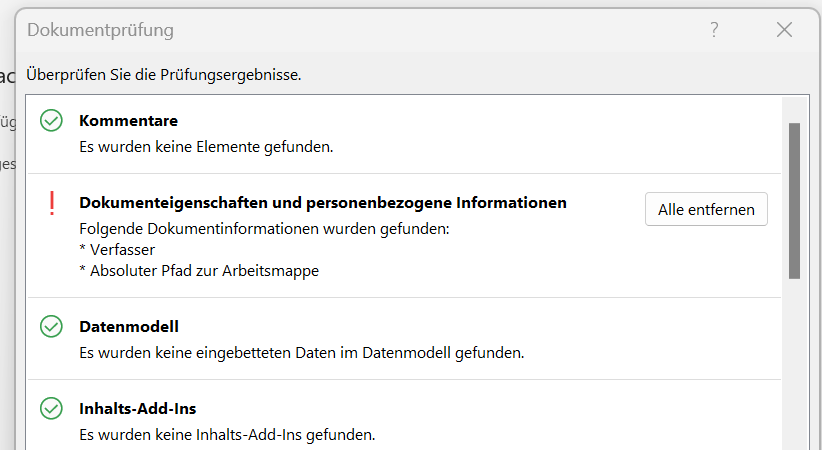
After removing these metadata (author, absolute path) PowerBI works again.
I see two solutions:
Found the switch in PowerBI to ignore these metadata
Avoid writing of these metadata in KNIME Excel Writer
Option 2 is a topic for this forum.
Any ideas? Any similar experiences?
Thanks a lot!
Regards,
ReWi