Excel Reader is changing some cells for no reason
Hi! :wave:
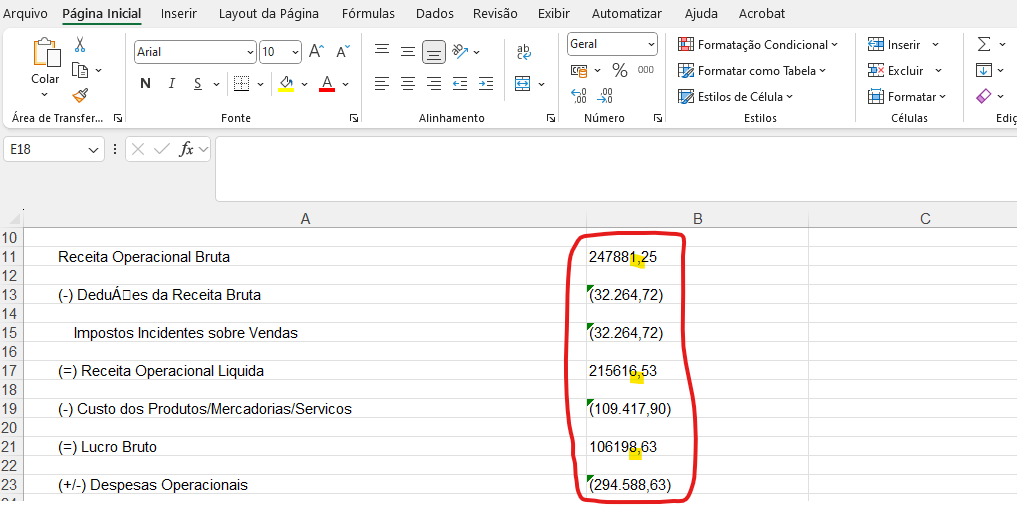
My file has 2 columns:
A → KPI Name
B → KPI Value
When I read the excel with the Excel Reader, it changes the decimal separator in column B for only some cells, it makes no sense at all. After that, I can’t convert it as a string to a number, because it’s a complete mess! Some values are with commas, other with dots, others with dots and commas… chaos!
See bellow 1. The original excel file and 2. The preview on the Excel Reader.
1.
1.
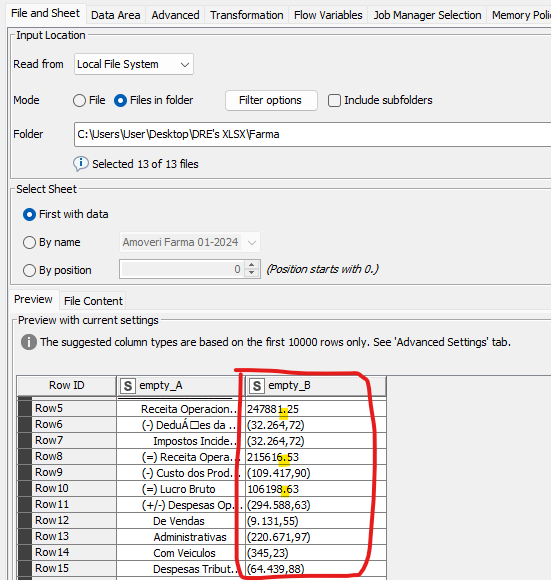
Any toughts on why it’s happening? Since it’s all different cases, I can’t do something like “Find and Replace” :disappointed:
Thank you in advance!