Excel Reader - How to solve: the following columns are not contained in excel?
Hi friends
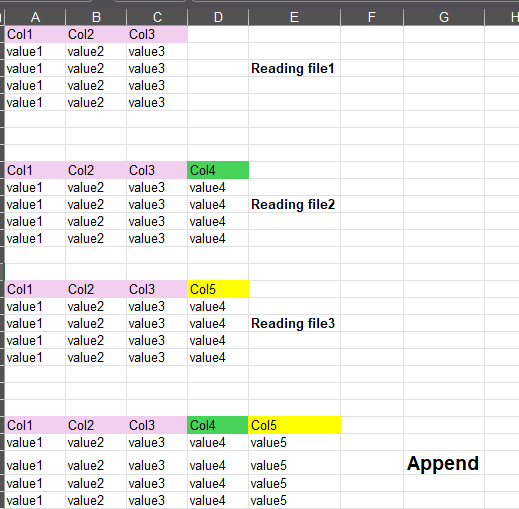
I didn’t find a solution to pass the error of reading excel files with the node “excel reader” with the configuration of “files in folder”.
I create a test to simulate error on the second file.
The following columns are not contained in all source files: [Col4]
I would like to know: Is there a proper/clever way to solve this problem?
Imagine that I have like 50 files to read and some then, do name of columns change (slight) e.g. One is Col4, the other is could be Column4.
Is there a way to append, and put that column left?
I tried various ways: maybe I will need to know all the changes and create a dictionary of all columns. But to do so, I’ll need to read the files.