Enabling HTTPS with a self-signed certificate on KNIME Business Hub 1.18.7
Hi everyone,
We have KNIME Business Hub 1.18.7 running over HTTP on a Rancher-managed Kubernetes cluster. We would like to enable HTTPS using a self-signed certificate via the Admin Console (Config → Networking → Enable TLS → Upload your own certificate; screenshot attached).
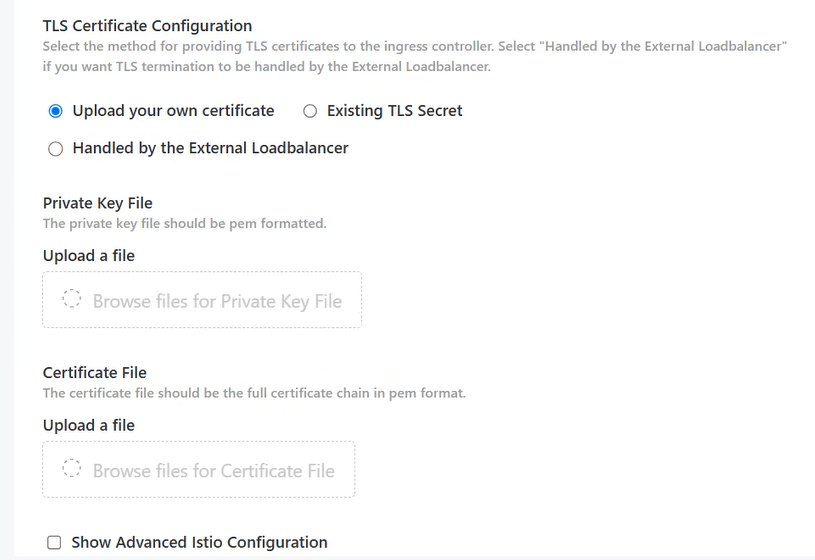
Before proceeding, could you please clarify the following?
1. Self-signed certificate configuration
Are self-signed certificates officially supported for KNIME Business Hub 1.18.7?
If supported, what is the correct configuration for uploading the self-signed certificate and its private key?
Do we also need to enable “Enable Custom Certificate Authority (CA) Certificate” to ensure internal services (e.g. Keycloak, API and executors) trust the certificate?

Is “Enable Core DNS Updater Job” required in a Rancher-managed Kubernetes cluster?
2. Known issues
I found this forum discussion, where a self-signed certificate setup resulted in “no healthy upstream” and “no REST endpoint found”. Are there any known limitations or updated recommendations for version 1.18.7?
3. Migration impact
Is switching an existing installation from HTTP to HTTPS supported directly through the Admin Console, or are additional configuration changes required?
Will existing data and configurations be preserved? Is downtime expected, and should we take a backup beforehand?
Will users need to update their KNIME Analytics Platform mount points or import the self-signed certificate into their local Java truststore?
The certificate would cover hub.example.com and *.hub.example.com using SAN entries.
Thanks in advance for your help!
Best regards,