DB Reader ignoring types for SQLite databases
The
DB Readernode appears to be ignoring numeric column types with nested queries in SQLite databases. (This behaviour may apply to other DB types too, but it does not apply to PostgresQL)
The attached workflow shows a set of examples. In all cases, the DBData port ‘Cache Rows’ button does observe and respect the column types.
Examples
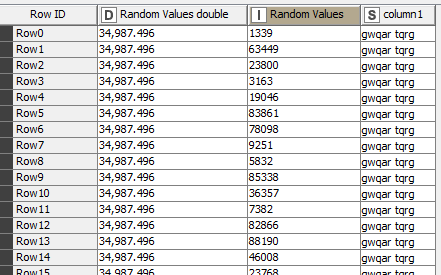
In each case, we have a simple DB in SQLite, with a single table (‘test’) with a column of integers, a column of doubles, and a column of strings:
SELECT COUNT(1) FROM test- would expect a ‘Long’ column, and indeed running this query directly in a
DB Query Readernode returns exactly that.
But, if we use a
DB Table Selectornode to first connect to the table, followed by a
DB Querynode (SQL:
SELECT COUNT(1) FROM #table# AS "table") and then
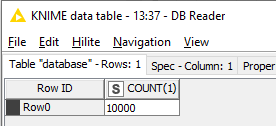
DB Reader, the output is a single String column (Left), but the port view for the
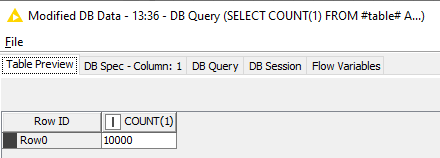
DB Query(Right) shows nearer (we have Integer rather than Long) the expected:
Even using the nested SQL generated in the
DB Table Selector/
DB Querynode sequence:
SELECT COUNT(1) FROM (SELECT * FROM test
) AS "table"
directly in a
DB Query Readernode shows the expected behavior.
Similarly, using
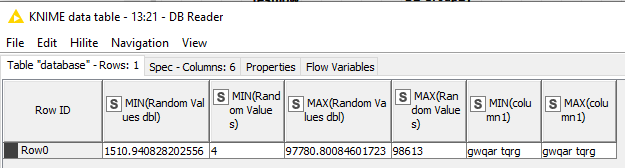
DB GroupByto find MIN/MAX values of a numeric column shows the expected numeric values in the output port view:

But, the output of a subsequent
DB Readernode reverts to Strings:
The attached workflow shows these cases
Driver version:
SQLite (ID=SQLite, Version=3.23.0)Steve