Data App Flowchart not showing Logo
Hi there,
This is a purely visual issue regarding the verified component Data App Flowchart (Data App Flowchart – KNIME Community Hub).
I am using this component on the Data App I’m working on, and I would like to add my company logo to it.
However, if it works fine when opening the component view locally, it doesn’t work anymore when deployed on our Business Hub. It is the same behaviour with the default KNIME logo, and my company logo.
When I open the component view locally, it works fine, like this:
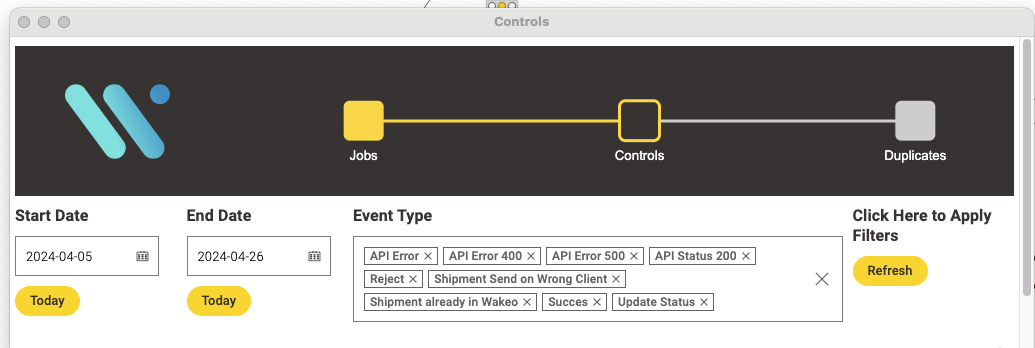
Or this with the default value:
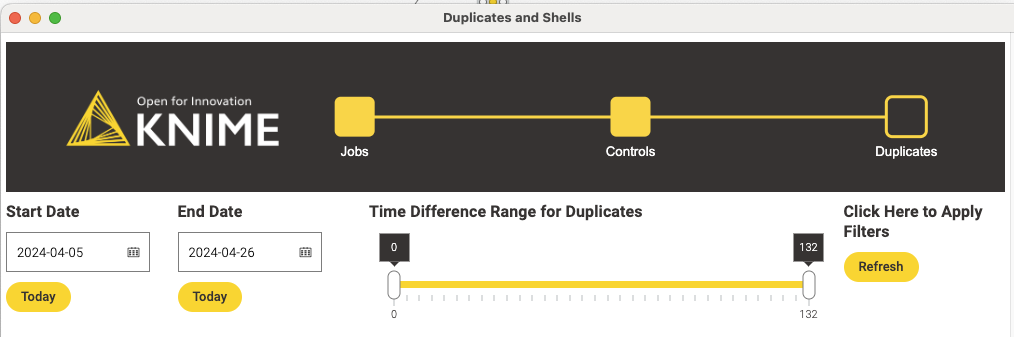
When opening the Data App from the Hub, the image is not found (regardless of which it is):

Our Hub doesn’t use TLS and I was wondering if this could have something to do with it, but as the image is base64 encoded and not pulled online, this shouldn’t be important.
I have also tried another header component (Workflow Application Header – KNIME Community Hub) which works fine showing the logo, using the same base64 encoding.
Does anyone have any idea on how to fix this in the component?
Thanks :slight_smile: