Continue to write an Excel file even if an empty sheet is detected
Hello,
I’m stuck with a problem here where I have a source Excel file (or other data) that I have several checks to make and after each check, write the results into their own sheet into a new Excel file.
If the contents of those checks are empty, I would like to skip the creation of the sheet and move to the next check.
For that I started using the Empty Table Switch but the moment one of the checks is empty, the workflow stops. Below is an example of what I have:
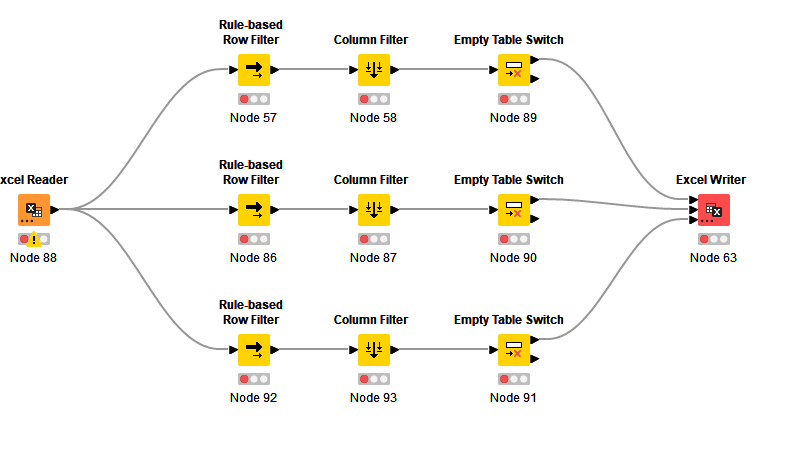
If, let’s say, the middle check (Node 86) results in empty, the bottom one (Node 92) does not continue.
How can I avoid this?
Thanks a lot!
Arky